


Virtual Visits
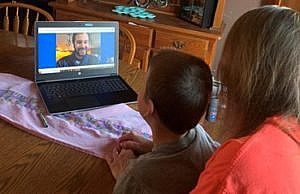
We’re here when you need us, in-person and virtually!
What is a Virtual Visit?
A virtual visit is a consultation with one of our health care providers via video conferencing from the comfort and convenience of your home. All you need is a computer, tablet or smart phone. Appointments for a virtual visit can be made through our scheduling staff.
Effective March 1, 2022
We will ONLY be allowed to provide Virtual Visits to our patients who are physically in Connecticut at the time of visit.
There were emergency orders during COVID that allowed us to provide Telemedicine Care to patients out-of-state, however, those orders have or are expiring.
Regardless of physical location, we will always do our best to provide ongoing and coordinated care for all our patients.
Eligible Visits
Chronic Issues
- OCP Med Check
- ADHD Med Check
- Lab Results Discussion
- Anxiety / Depression Med Management
- Behavioral Concerns
- Developmental Assessments
- Bedwetting Follow-Up
- Sleep Issues
- Diet / Nutrition Discussions
- Speech Concerns
- Constipation
Mental Health
Due to Covid-19, sessions are currently offered via telehealth at this time.
Prenatals
Do you have concerns about how a child sees, talks, hears, moves, eats, or plays? Birth to Three helps families to meet the developmental and health related needs of infants and toddlers with delays or disabilities.
Same Day Acutes
- Rashes:
acne
Warts
Molluscum
Poison Ivy
Eczema
Insect Bites
- Eye Discharge (over age 2 years of age)
- Seasonal Allergies
- Acute Minor Injury Assessment:
First Aid
Need for Sutures
Referral for X-Rays
- Diarrhea (less than 3 days duration)
- Runny Nose, No Fever
- COVID Questions / Antibody Testing
- Acute COVID Daily Follow-Up Visits
Preparing for the Visit
- Have ready prior to the visit; your child’s height, weight and temperature
- Please have your child in close proximity, as the provider will need to see the child during the visit
- Please set up the video in a quiet room with good lighting
Navigating Your PHA Virtual Visit
Step-by-Step Instructions for Your Virtual Visit
- Virtual visits with a provider are scheduled over the phone with one of our staff members.
- After making an appointment with PHA, you will receive an email from Chiron Health. Click “Confirm Email Address” to get started.
- You will then be sent to a website asking to download the Chiron Health App.
- Once you’ve downloaded the app, you will be prompted to enter your phone number to look up your account.
- Chiron Health will then ask to send you a text message with an unlock code. Confirm your phone is correct then click “Send Code“.
- You will then be prompted to set up your Account with Chiron Health. The patient’s name, date of birth, and phone number will automatically be lited. Create and confirm your own unique password, then click “Save and Continue“.
- Once your account is set up you will see your future appointments and you may enter the virtual exam room 15 minutes before the appointment start time.
- Once your are within 15 minutes of your appointment start time, click “Start Appointment” in the Chiron Health App. Then click “Continue”.
- Next you will be prompted to read and accept the Telemedicine Informed Consent. Click “Accept and begin” to continue.
- Lastly, you will see a notification asking you to wait for your Clinician to join the appointment. Once your Clinician joins, you’ll be able to start!
For these same instructions, including screen shots of the Chiron Health app, click here.